Frameworks
Claude Code in the Browser
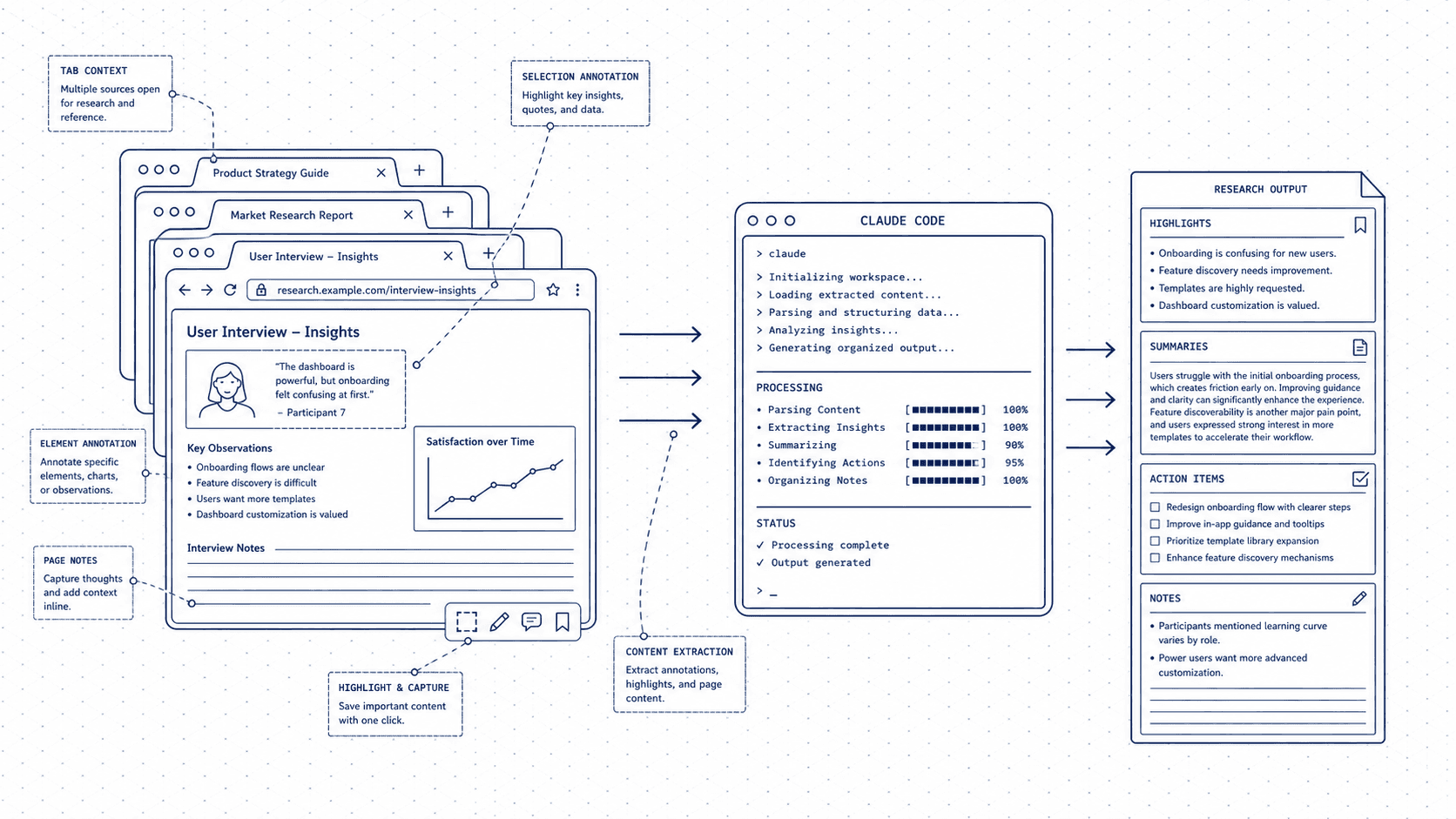
The whole web as your workspace. Claude turns tabs into thinking, research into insight, and pages into action.
Who this is for
Researchers, analysts, sales teams, and anyone who spends their day in a browser. If tabs are your second home, Claude can help you actually leave with something.
The mindset shift
Research is often the bottleneck. You can read faster than you can synthesize, and you can synthesize faster than you can write. Claude flips the work order. While you are still reading, it can be structuring what you have already passed it.
The output is not a summary. It is a head start: a draft report, a comparison table, a cold outreach email based on a prospect's LinkedIn page. The web gives you the raw material. Claude helps you do something with it.
The shift is not about reading less. It is about stopping the gap between "I have the information" and "I have the output." That gap is where most browser-based work gets stuck. Claude closes it.
Your 5C Loop for browser-based work
The 5C Loop is the core framework this site teaches. Here is what each step looks like when your main tool is a browser.
Capture: Paste the content directly: an article, a product page, a competitor's pricing section, a job posting, a LinkedIn profile. You do not need to clean it up first. Raw paste is fine.
Context: Tell Claude what you are trying to do. Competitive research? Outreach? Decision-making? The same content yields completely different outputs depending on your goal. A competitor's pricing page becomes a teardown, a positioning brief, or a one-sentence battlecard, depending on what you ask for.
Create: Comparison tables, research summaries, outreach emails, product teardowns, interview prep, market overviews. Claude can produce a structured first draft from the content you pasted and the goal you named.
Check: Verify the most important claims in the output against the source. Claude synthesizes well but can smooth over nuance. Always spot-check the facts that matter.
Compound: Build a library of research prompt templates for the analyses you run repeatedly. Next time, you start with structure instead of a blank page. Your workflow gets faster with every use.
Four workflows worth learning first
Synthesize multiple sources into a single view
Paste content from three to five sources and ask Claude to identify themes, note where sources agree and disagree, and highlight what is still uncertain. Useful for market research, trend analysis, or any situation where you are reading to decide, not just to inform.
Turn a competitor's page into a comparison
Paste a competitor's homepage, pricing page, or product description and ask Claude to compare it against your own (which you also paste). You get a structured analysis of positioning, strengths, and gaps without spending an afternoon in a spreadsheet.
Write outreach from a prospect's profile or post
Paste a LinkedIn post, a company blog post, or a job description. Give Claude your context (who you are, what you are offering, what you want) and ask for a first-touch message that references what you just read. Personalized outreach at a pace that would otherwise be impossible.
Extract key information from a long, complex page
Paste a dense report, legal document, terms of service, or government page. Ask Claude for the five most important things a person in your role needs to know. Cuts through the noise faster than skimming, and surfaces the parts worth a closer read.
Your starter CLAUDE.md
A CLAUDE.md file sits in your project folder and tells Claude who you are and how to help. Copy this, fill in the brackets, and you will never have to re-explain your context again.
# CLAUDE.md

## About me
I work primarily in a browser. I do a lot of research, analysis, and outreach. I don't write code.

## My context
- Role: [description]
- What I research most often: [description]
- Key decisions I make: [description]

## How to help me
- Synthesizing multiple sources into structured summaries
- Comparing products, competitors, or options
- Writing outreach based on specific content I've read
- Extracting key information from long or complex pages

## Output preferences
- Tables for comparisons
- Numbered lists for sequential steps
- Short paragraphs for summaries
- Flag when something is uncertain or needs verification
Go deeper
The full guide at /for-chrome covers the Claude extension setup and walkthrough prompts for each workflow, so you can go from "I have a tab open" to "I have an output" without guessing what to type.
New guides, when they ship
One email, roughly weekly. CLAUDE.md templates, workflows I actually use, and the cut-for-length stuff that does not make the public guides. One-click unsubscribe.
Or follow on Substack