Frameworks
Claude Code for Microsoft 365 Users
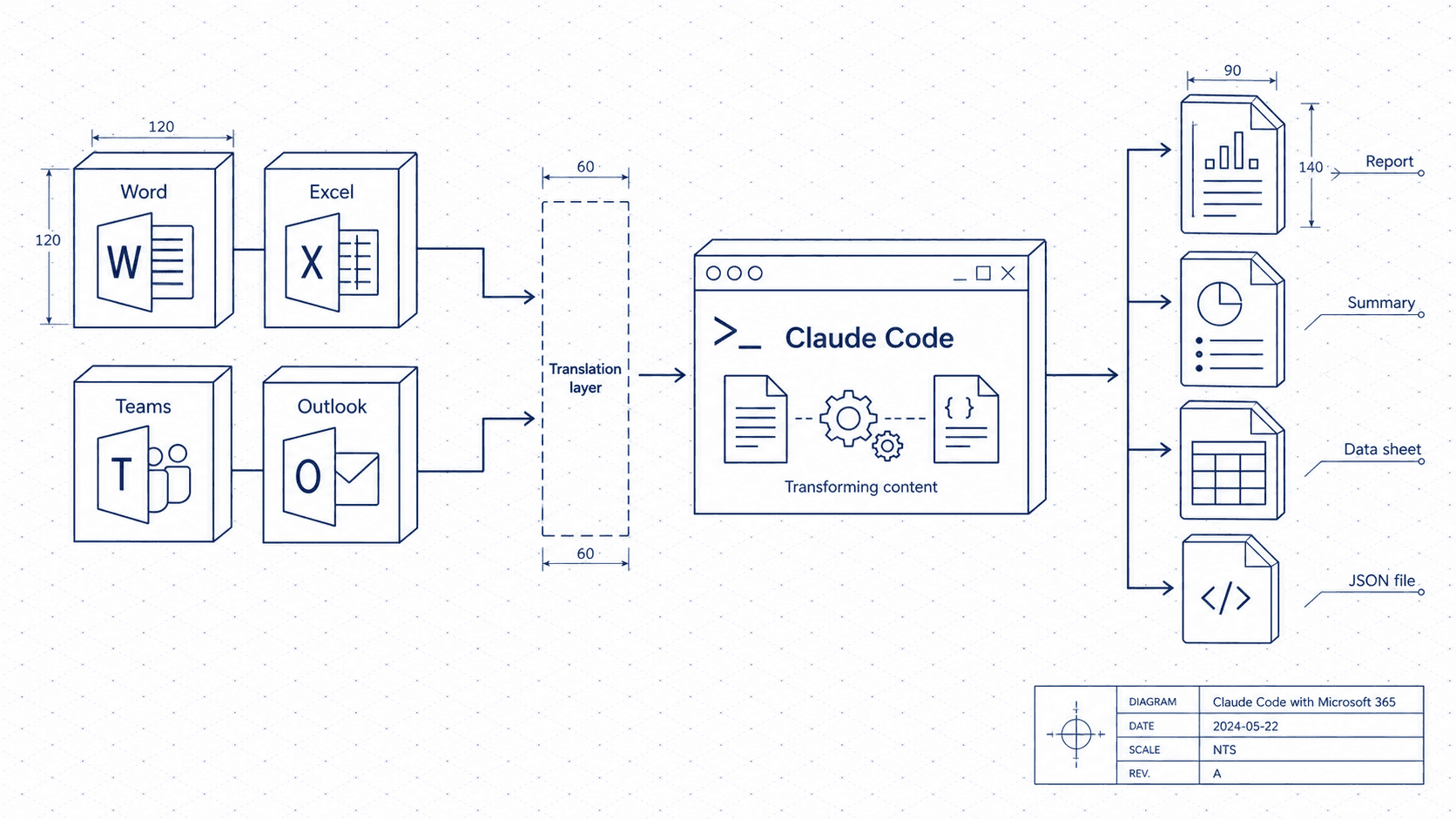
Word, Excel, Teams, Outlook. Claude Code works alongside all of them, handling the translation layer that costs you hours every week.
Who this is for
Anyone working in an organization that runs on Microsoft 365. If Teams, Outlook, Word, and Excel are your daily tools, Claude Code is the layer that connects them.
The mindset shift
The most expensive part of knowledge work is not the thinking. It is the translation.
A 45-minute Teams meeting becomes a 30-minute write-up. A three-week project becomes a one-page exec summary. A full inbox becomes a two-bullet status. You already did the hard part. Claude handles the translation.
Feed it your meeting notes, your email threads, your raw data. It gives you the output your organization actually consumes. No reformatting, no staring at a blank page, no losing 40 minutes to a document that should have taken five.
Your 5C Loop for M365 work
The 5C Loop is the core framework this site teaches. Here is what each step looks like when your office lives inside Microsoft 365.
Capture: Paste in the raw material. A copied Teams chat, a pasted email thread, meeting notes you typed on the call, or a table from an Excel sheet. It does not need to be clean. That is literally the whole point.
Context: Tell Claude the audience and purpose. Who is reading this? What decision does it support? How much do they already know? Two sentences here saves five rounds of editing later.
Create: Meeting summaries with action items, exec updates, status reports, Word document outlines, PowerPoint talking points, email responses. Claude drafts. You review.
Check: Review the output for tone (right for your org's culture?), completeness (did anything get dropped?), and accuracy (are the action items and owners correct?). You are the editor, not the typist.
Compound: Save the prompts that work for your recurring reports, weekly updates, and standing meeting formats. You will reuse them every week. This is where the time savings really add up.
Four workflows worth learning first
Transform meeting notes into a structured summary
Paste your raw notes from a Teams meeting. Ask Claude for a summary with decisions made, action items and owners, and open questions. Takes 10 seconds instead of 20 minutes, and it never forgets who said they would follow up.
Write an exec update from email threads or project notes
Paste a week's worth of project emails or Teams messages. Ask Claude for a concise status update with a one-line situation, progress, blockers, and next steps. Adjust the tone to match your audience (your manager gets a different register than the steering committee).
Build a PowerPoint outline from a document
Paste the Word document or brief. Ask Claude to produce a slide-by-slide outline with one-line headers and three key points per slide. Hand the outline to PowerPoint or build from it directly. The structure arrives in seconds; you spend your energy on the story.
Clear your inbox with smart responses
Paste an email you have been putting off. Give Claude the context (what you want to say, what you can commit to, what you cannot). It drafts a response you can send in 30 seconds. Your inbox does not have to be the place good intentions go to slow down.
Your starter CLAUDE.md
# CLAUDE.md

## About me
I work in a large organization using Microsoft 365. My day involves Teams meetings, Outlook, Word documents, and Excel. I don't write code.

## My context
- Role: [description]
- Team size: [description]
- Org culture: [formal / informal / mixed]
- Reports I write regularly: [list]

## How to help me
- Meeting summaries with action items and owners
- Exec updates and status reports
- Email responses and follow-ups
- Document and presentation outlines
- Turning raw data tables into plain-language summaries

## Tone
- Professional but not stiff
- Match the formality level for the audience (I will specify)
- Active voice, short sentences
- Bullet points for action items, not paragraphs
Go deeper
The full guide at /for-microsoft walks through setup and has ready-to-copy prompts for each M365 workflow. Whether you are tackling the inbox or prepping for a board update, you will find something you can use today.
New guides, when they ship
One email, roughly weekly. CLAUDE.md templates, workflows I actually use, and the cut-for-length stuff that does not make the public guides. One-click unsubscribe.
Or follow on Substack